
Add Board Dialog
The Add Board dialog allows a new board to be added to a Board Explorer project.
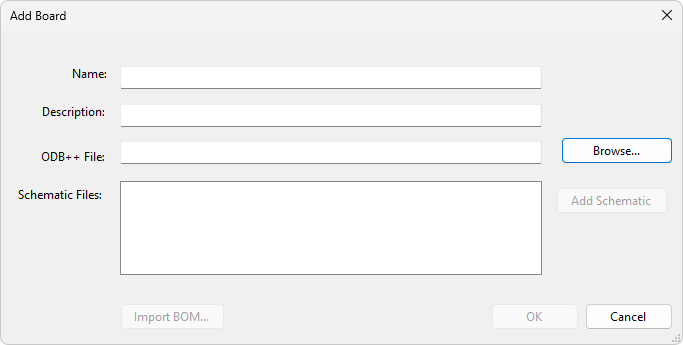
ODB++ data is either in a directory structure or packaged as a single .zip file. Clicking on the button opens a dialog that allows browsing for a directory or a zip file.
ODB++ data my contain BOM information. If BOM information is found it can be imported using the Configure Netlist BOM dialog.
BOM information that exists in a separate file can be imported using the button. This opens the Import BOM dialog Import BOM Dialog.
Clicking the button launches the Assign Schematic Files Dialog. Note that schematic files can also contain BOM information that can be imported.