
Edit Image Dialog
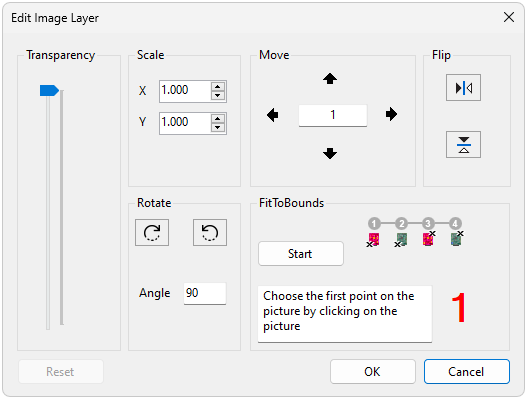
An image layer can be added to the project. One use for this feature is to allow a photograph of the board to be added to the project, see the demo board for an example. The dialog allows an image layer to be positioned on the board before adding it to the project.
The slider allows the image transparency to be adjusted.
The numeric updown boxes allow the image to be scaled in the X or Y direction.
The buttons allow the image to be rotated clockwise or anticlockwise. The amount of rotation can be changed in the angle textbox.
The buttons allow fine adjustments to the image position. The amount that the image is moved by can be changed by updating the number in the textbox in the centre.
allows the image to be fitted to the image bounds. Click the start button to begin the fitting process and follow the displayed instructions.
The buttons allow the image to be flipped around the X or Y axis.
resets the image to its original size and position.
closes the dialog, confirming the image layer and adding it to the current ODB project.
closes the dialog without making any changes to the ODB project.