
Broken Chain Messages
A Broken Chain Detected message means that a problem has been detected in one of the JTAG chains. The XJLink controller sent data to the board on TDI, but did not receive valid output from TDO. When this occurs the connection test stops immediately because the JTAG controller cannot communicate with the JTAG devices.
This issue can occur at the very beginning of the connection test when devices are initialised, or can occur while the test is running.
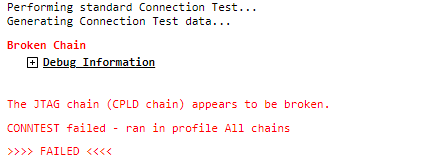
Figure 2: Typical mid-test broken chain error
Typical causes of this problem include:
- One or more JTAG devices not having been put into JTAG mode.
- JTAG devices leaving their JTAG mode.
- JTAG devices (or the whole PCB) not being powered.
- A connection problem on the chain.
Aside from the trivial causes like forgetting to plug in the JTAG connector or switch on power to the board, these problems are frequently caused by the connection test trying to test pins which are required to be kept in a particular state in order for the JTAG chain to operate.
Constant Pins must be used when necessary to tell XJTAG that certain pins should not have their value changed during tests. These pins are likely to include power supply controls, reset signals, JTAG signals, watchdog controls and any other pins which need to be kept in specific states.
To investigate the cause, we recommend starting by going to the Pin Mapping screen and using the Check Chain feature as described here. This will give you more detail on the error, helping you to identify which device in which JTAG chain is not responding as expected. If the Check Chain test is passing but you're still seeing the Broken Chain error messages, then the Debug Connection Test screen can help to track the problem down.
Another possible cause of broken chain messages is a signal integrity problem with the UUT or the cabling to it. Cross-talk or similar effects may be resulting in JTAG chain data being corrupted somewhere in transit. Such problems may sometimes also be characterised by the test going wrong in a different way or after a different amount of time in each test run. See how to run a signal integrity check on your setup to ensure that this is not the issue and also read some advice on typical ways to improve signal integrity.
XJTAG v4.3.1