
Colour Options
This dialog can be accessed from the Tools|Options... menu in XJAnalyser by clicking the "colours" option in the left hand bar.
Figure 1. Pin Colours
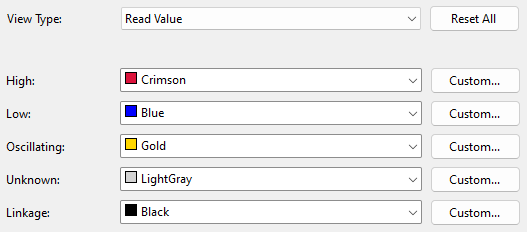
Here, colours for the different pin states in each view type can be configured. Select the view type in the drop down at the top of the window and the list of states in that view type will be listed with their currently assigned colour. Colours can be assigned from the specified colours in the drop down list or a custom colour can be selected by clicking Custom... and then choosing a colour from the colour picker.
To restore the factory default colours click the Restore Default Colours button.
XJTAG v4.2.5