
Constant Pins and Logic Devices
If there is logic on the circuit between the JTAG device and the device with the Constant Pin set, XJTAG will attempt to drive the pin appropriately through the circuit logic.
Any constant value applied to a logic gate needs to be achievable based on the logic gate's truth table. For example, setting both input and output of an inverter to the same value would cause an error as this wouldn't match a valid state.
If the Constant Pin is on the far side of logic elements, it must also be possible for XJTAG to put the logic into the desired state; for example if the output of an AND gate is set to High, XJTAG must be able to control or know the value of both input pins to the gate.
If XJTAG is unable to achieve the requested state, you will get an error message at runtime, either on startup or during the connection test:
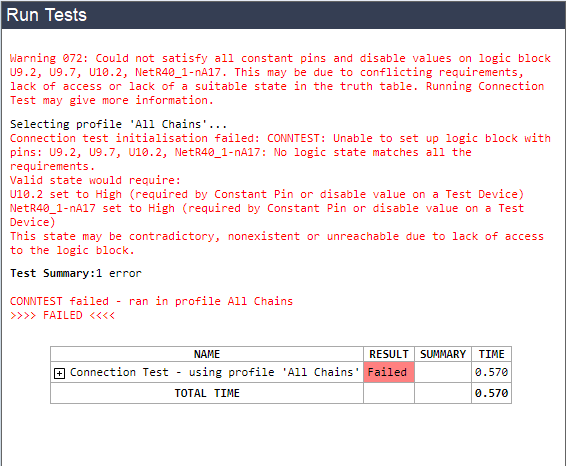
Figure 7: Error caused by invalid Constant Pin value
This type of error can be resolved by changing (or even removing) the Constant Pin setting. Typically values of High or Low, rather than Excluded, are likely to be helpful.
XJTAG v4.3.1