
Net Categories Options
This screen allows the customisation of the categories that are used by XJDeveloper to recognise various classes of nets. XJDeveloper ships with a default set of patterns, but the user is free to customise these to match their own conventions and to add their own patterns.
These patterns allow XJDeveloper to automatically recognise nets that are likely to be power and ground nets.
The default net categories that XJDeveloper provide are required to calculate suggested categorisation scores so cannot be renamed or deleted.
The Net Categories box displays all the available categories. When one is selected, the name and patterns appear at the bottom of the screen and can be modified.
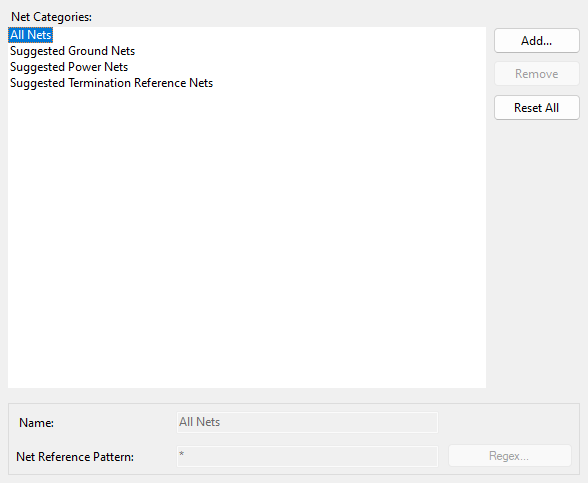
New categories may be added to the list by clicking the Add... button. Categories may also be removed by selecting a category and clicking the Remove button. Both these options may also be accessed by right-clicking on the category list and selecting Add Category or Remove Category respectively from the context menu.
The pattern defined in a net category is used to find a match against a net's name.
There are two different types of pattern available:
- Simple Patterns
The default type of pattern is a simple matching pattern, where the following symbols have special meanings:
- '#' is a wildcard matching one or more digits
- '%' is a wildcard matching one or more letters (a-z or A-Z)
- '*' is a wildcard matching any sequence of characters (including numbers)
Any number of alternative patterns may be listed separated by commas. See below for some examples.
Regular expressions - Regular expressions are a more sophisticated way of expressing a pattern to match with, and these take precedence over simple patterns. A regular expression can be entered by clicking the Regex... button to open the Regular Expression Editor.
Default categories only use Regex patterns but user-defined categories can use either a simple pattern or Regex pattern. The category All Nets cannot be edited or removed.
Resetting patterns to their defaults
To reset all net patterns to the XJDeveloper defaults, press the Reset All button. This will reset all the category patterns and delete any user added categories. Categories can be reset individually by right-clicking an entry and selecting Reset Category from the context menu.
Simple Pattern Examples
- C#
- Matches 'C' followed by any number of digits.
String Match? C23 Yes C23_1 Yes IC23 No - C%
- Matches 'C' followed by any number of letters.
String Match? Ca Yes CaaBB Yes C23 No - *_CH#
- Matches a string containing '_CH' followed by a number.
String Match? ADC_CH1 Yes _CH1 No - CON#,CN#
- Matches a string starting with 'CON' or 'CN' and then followed by a number.
String Match? CON12 Yes CN5 Yes SCON12 No
XJTAG v4.2.5