
Licensing Errors
XJTAG Applications check for an appropriate licence when they start, and if a licence is not available an error message is displayed. Use this page as a guide when investigating why a licence is not available.
No Licence
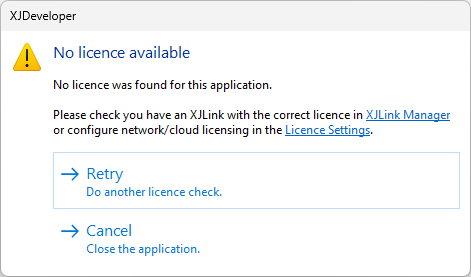
The above message box may appear for several reasons depending on which licensing method is being used.
Hardware Licensing
- An XJLink authorisation code has not been installed.
- Click the XJLink Manager link to open the XJLink Manager and select the appropriate XJLink to see what licences it has installed. Click the Add Licence button to install a supplied authorisation code, or contact XJTAG Support to obtain a licence.
- An XJLink authorisation code has expired.
- Contact XJTAG Support to obtain an updated licence, and then install it using the XJLink Manager.
- No XJLink is plugged into the PC
- Make sure that the XJLink is plugged in and that you have installed the drivers for your XJTAG system.
Read more about XJLink authorisation codes here.
Network Licensing
- All suitable licences are already in use.
- To view which users currently have licences checked out open the Licence Settings via the link and click the Details button.
- The network licence server is not configured correctly.
- Click the Licence Settings link to open the XJTAG Licence Settings to configure the network licence server.
- The network licence server is unavailable.
- The network licence server might be unavailable due to an issue with the server on which it is installed, an issue with the network between this machine and the server or a firewall somewhere between the two.
- The network licence has expired.
- Contact XJTAG Support to obtain an updated licence file.
Cloud Licensing
- There are no remaining licence seats available.
- A seat will be released when all XJTAG licenced applications are closed on the PC.
- The licence key is incorrect.
- Click the Licence Settings link to open the XJTAG Licence Settings to configure the licence key.
- The cloud licence server is unavailable.
- The cloud licence server might be unavailable due to lack of internet access or issues with your company's firewall. XJTAG’s cloud-licensed software connects to the licensing server at *.scale.10duke.com on port 443.
- Your cloud licence subscription has expired.
- Renew your subscription through the website or by contacting your distributor.
No Maintenance (Hardware)
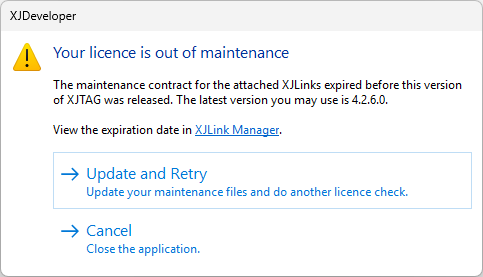
- The maintenance contract for the XJLink has expired.
- Only versions of XJTAG released before the expiry of the maintenance contract associated with your XJLink can be run. Clicking Update and Retry will automatically attempt to download an updated maintenance file and recheck the licence. If the maintenance has not been renewed then consider using the most recent usable version displayed in the dialog, otherwise contact XJTAG Support.
No Maintenance (Network)
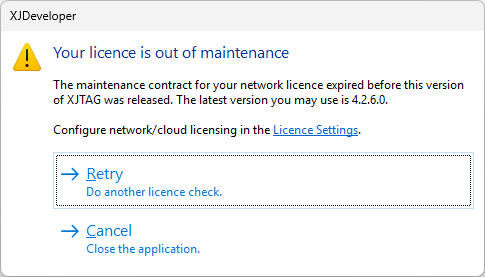
- The maintenance contract for the licence has expired.
- Only versions of XJTAG released before the expiry of the maintenance contract associated with the network licence can be run. If the maintenance has not been renewed then consider using the most recent usable version displayed in the dialog, otherwise contact XJTAG Support.
XJTAG v4.3.1