
Correcting Categorisation Mistakes
If a mistake is made, a device's categorisation can be removed by selecting it and clicking Remove at the bottom of the Categorised Devices list on the Categorise Devices screen (Figure 46 below) or by dragging it to the Uncategorised Devices list. Multiple devices can be selected using the keyboard's Ctrl or Shift keys.
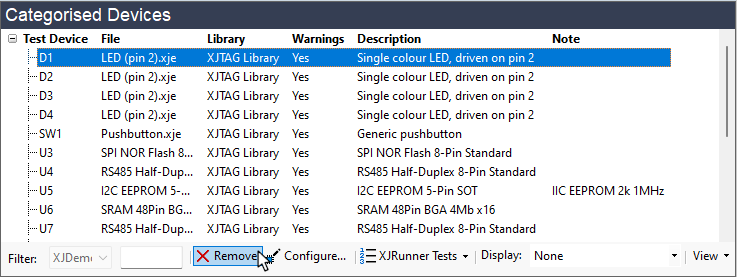
Figure 46: Removing Categorisation
Alternatively, the device(s) can be recategorised: either drag them to an alternative category or right-click the selected device(s) and choose Reassign As from the pop-up menu.
- If a connection is defined on the Connections screen (e.g. to define a link between connectors on the board), the connectors involved will automatically be added to the Ignored category and cannot be removed unless the connection is removed first. They will be marked in the Categorised Devices list as [connection device].
XJTAG v4.2.5