
Creating Variant XJPack Files
XJPack files can be created for any combination of individual variants and root project. This allows you to ensure the Production Test team only receive projects for boards that are being built.
From XJDeveloper's File menu, choose Export Project > To XJPack File... In the dialog box that opens (Figure 32), switch to the Variants tab and use the checkboxes to select which projects to include in the XJPack file.
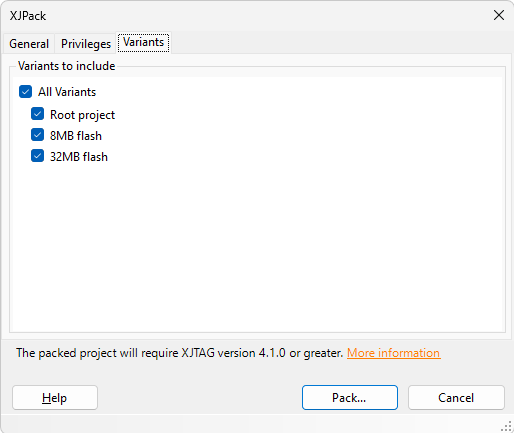
Figure 32: Selecting the Variants to Include in an XJPack File
- Creating an XJPack file in this manner doesn't necessarily make it backwards compatible. The XJPack dialog displays the minimum XJTAG version required to run the project.
- Although an XJPack file can be created for a project if one of its variants has errors, only the error-free variants will be available for XJRunner to use. Any unavailable variants will be greyed out in the Variants tab and marked with a warning.
- If schematic files are being included in the XJPack file, the ones for variants that have errors will be omitted to reduce the file size.
XJTAG v4.3.1