
Pin Restrictions Dialog
This dialog enables users to manage restrictions associated with pins on a JTAG device. It references the BSDL files to determine the functional behaviour of each pin. Only pins explicitly defined within the device’s BSDL files are displayed.
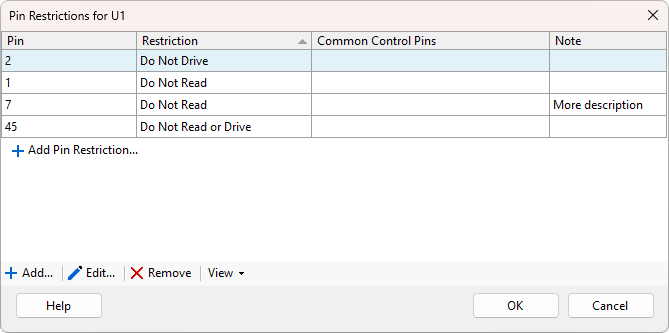
The following properties are listed in the grid view columns:
- Pin - Identifier of the pin associated with the restriction.
-
Restriction
- Do Not Drive - Do not use this pin to drive a signal to the net.
- Do Not Read - Do not use this pin to read values from the net.
- Do Not Read or Drive - Completely disable JTAG functionality on this pin.
- Common Control Pins - Displays any other pins controlled by the same control cell. These pins will also have their output disabled if a Do Not Drive or Do Not Read Or Drive restriction is applied.
- Note - Optional user provided comment offering context or explanation.
The Add... button opens the Add Pin Restriction dialog where the user can enter a JTAG pin name and choose a restriction type from the predefined options. An optional note can be entered.
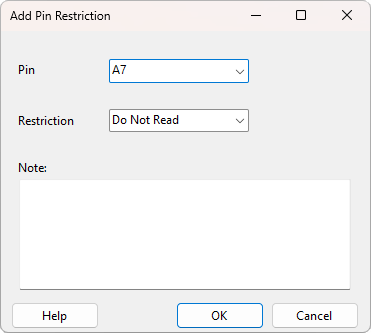
The Edit... button allows the pin restrictions properties to be changed for the selected pins within the pin restrictions list.
Click Remove to remove currently selected pins from pin restrictions list.
XJTAG v4.3.1