
Datasheet
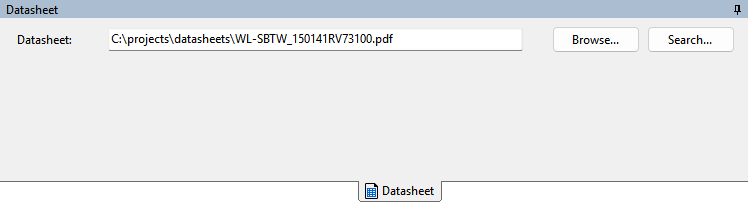
This tab simply presents a place to add a link to a datasheet for the device or devices which are configured to use the Test Device File. The link can either be a path to a file on disk, or an http or https URL to a remotely hosted file.
When configured, the  View Datasheet... option present in the context menu for a Test Device will become enabled, and will open the linked datasheet in the system default PDF viewer or Web Browser when clicked.
Buttons
- Browse...
- Opens a file selection dialog, to associate a datasheet stored locally on disk with the device file
- Search...
- A helper function which launches a web search for a datasheet. Should you find an appropriate document, the link must be copy/pasted into the textbox
Web search helper
XJDeveloper can launch a web search to help you find a datasheet that is relevant to any devices using the current Test Device file. For this to work, there must be at least one device categorised to use the file, and the BOM must have been configured with a Manufacturer Part Number.
The exact search performed can be customised using the Options Dialog. By default, it will search for "<Part Number> datasheet", using Google.
XJTAG v4.4.0